
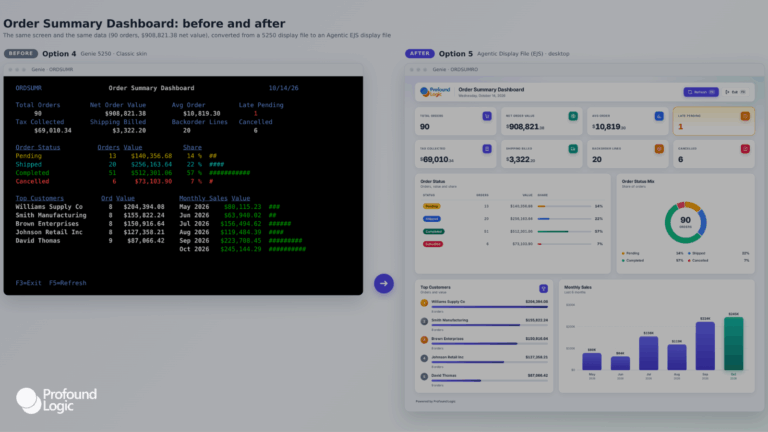
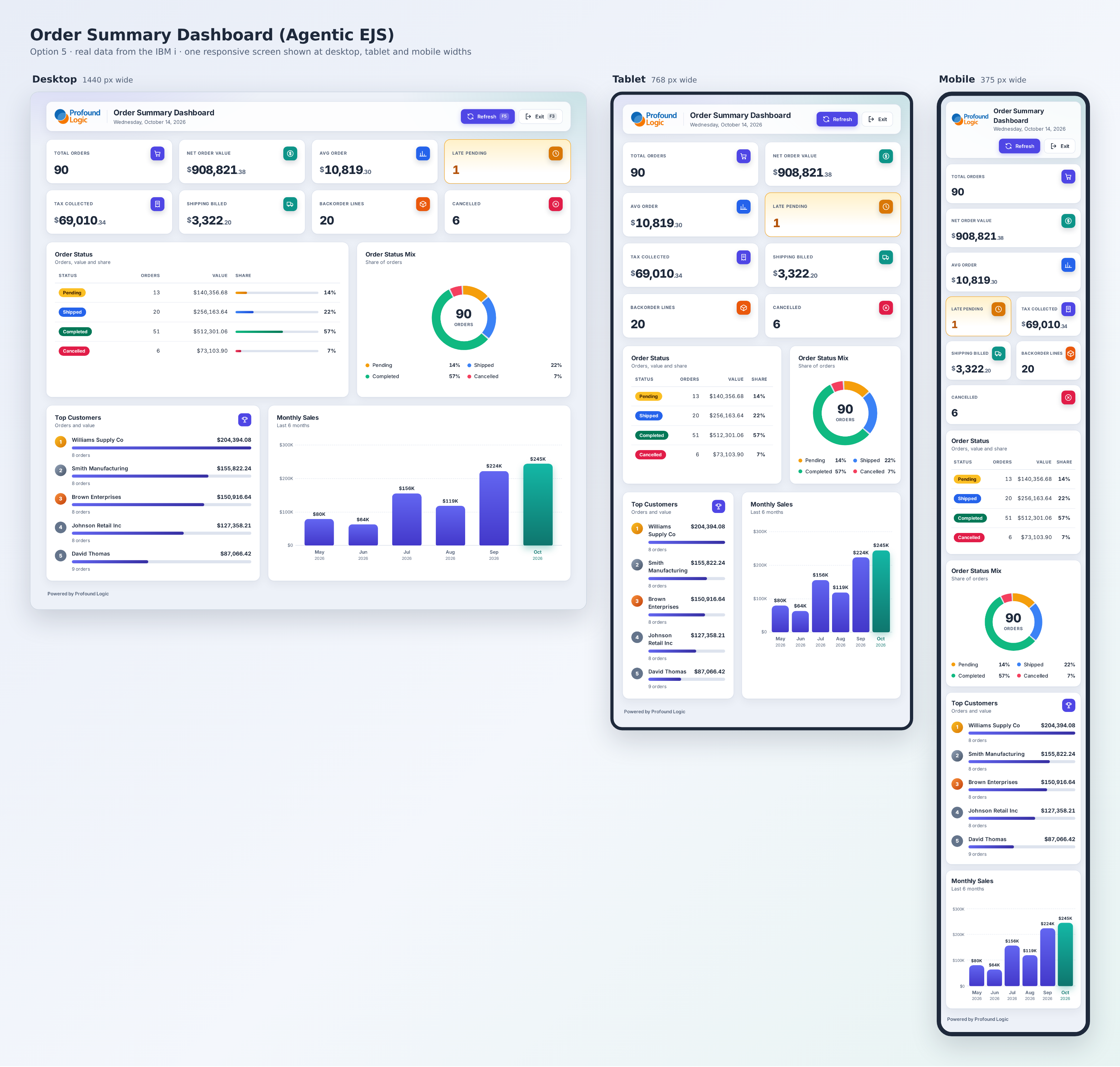
When Agentic Display Files launched with the May release of Profound UI, a cornerstone of Profound AppDev, the claim was straightforward, CoderFlow agents can design a complete, responsive web screen for IBM i directly in HTML, CSS, and JavaScript, with no widget ceiling and no changes to the RPG underneath. That is a meaningful capability, but it stays abstract until you watch it happen.
Here is what building an actual screen with Agentic Display Files looks like in practice, from turning the feature on to reviewing a finished interface a supervisor could pull up on a tablet on the shop floor.
The Screen We Are Building
Consider a manufacturing company running its order management application on IBM i. Order entry already runs through Profound UI with Rich Display Files, functional, browser accessible, doing the job it was built to do. What the team wants now is something new: an order summary dashboard showing real time production status, filterable by line and shift, with visual progress indicators and a layout that works on a supervisor’s tablet as easily as it does on a desktop monitor.
That last requirement is exactly where a widget-based screen designer starts to strain. A dashboard with conditional visual states and a genuinely responsive mobile layout is possible with a traditional widget library, but it takes real design and development time. This is the kind of screen Agentic Display Files were built for.
Turning On Agentic Display Files
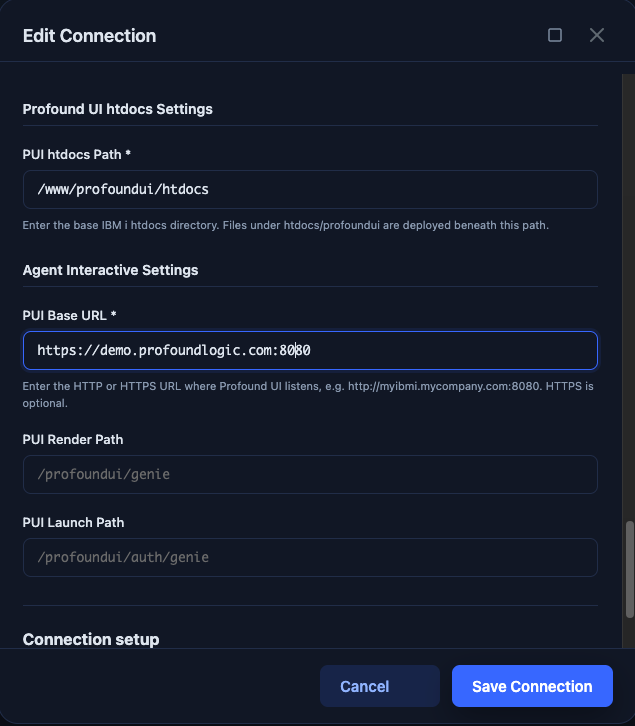
Agentic Display Files ship as part of CoderFlow, available since the May Profound UI release within the Profound AppDev suite. Enabling them is a single configuration step, not a separate rollout.
In the CoderFlow Connections panel, there is an IBM i feature toggle for Agentic Display Files. Turning it on and pointing it at your EJS Display File settings activates the EJS Screen Designer skill, which loads the instructions the agent needs to generate these files correctly for your specific environment.
Teams that want to keep building and maintaining existing Rich Display Files alongside this new approach can do that too. The Rich Display File designer skill lives separately in the CoderFlow skills catalog, so adopting Agentic Display Files for new screens does not mean giving up the existing workflow for screens that do not need it yet.
Describing the Screen in Plain Language
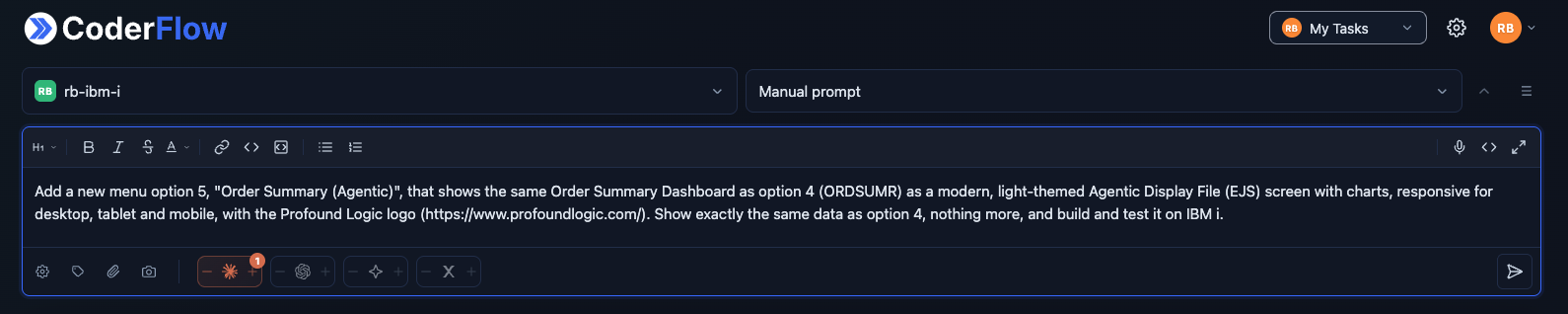
From here, the process looks like any other CoderFlow task. The developer opens the browser based dashboard, nothing to install locally, and writes out what the screen needs to do: show real time production status, allow filtering by line and shift, use visual progress indicators, and lay out cleanly on a mobile device.
For a one-off screen like this, no special syntax or template is required. The developer can also launch the same task against more than one model at once, Claude, Codex, and Gemini are common choices, and let CoderFlow’s judge agents evaluate the results automatically rather than reviewing every variant by hand. If a design like this is going to get reused across many similar dashboards later, that is exactly the kind of task worth turning into a template, but the first one does not need that setup to get started.
What the Agent Actually Produces
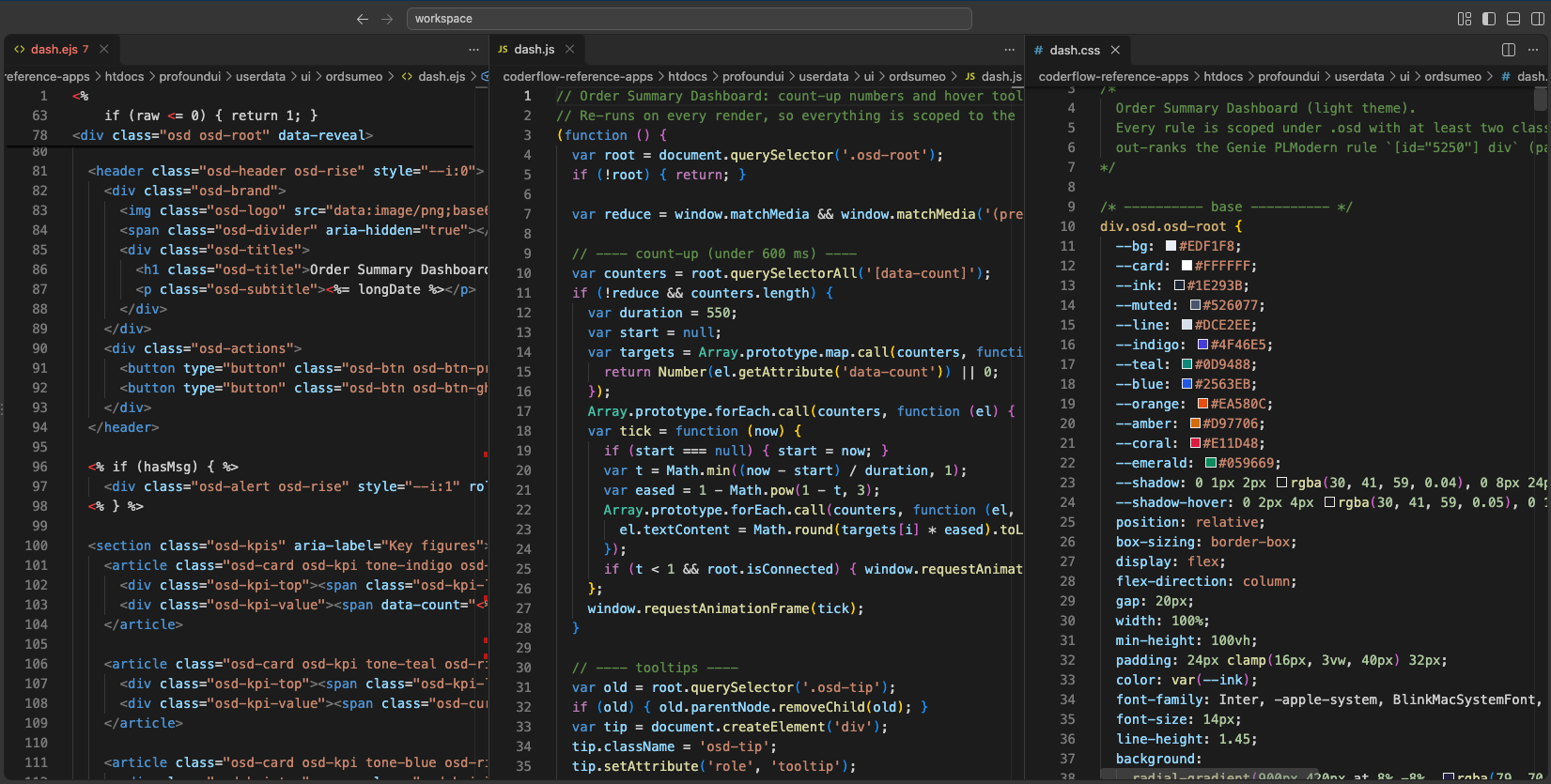
For the screen described, the agent generates three files: an EJS file containing the HTML structure and template variables, a JavaScript file handling the data binding, and a CSS file for styling. These are the same file types a web developer works with daily, which is precisely why a large language model produces them fluently.
Two things happen automatically that are worth calling out. First, the new screen pulls its default styling from the organization’s existing Profound UI theme, so the dashboard matches the rest of the application portfolio without the developer specifying colors or fonts again. Second, because the output is genuine HTML and CSS rather than a fixed widget set, there is no ceiling on what the screen can include. Charts, conditionally rendered filter panels, and a layout that reflows cleanly on a smaller viewport are all just CSS, not a workaround.
What does not change is the program underneath. The RPG business logic and its Open Access handler stay exactly as they were. This is presentation layer work, not a rewrite of what the application does.
Reviewing the Result
Before anything is approved, the developer reviews the generated files as a git diff, the same review pattern used across CoderFlow tasks, and opens the rendered screen directly in a browser to click through the filters and confirm the layout holds up at mobile width.
Nothing is committed automatically. The developer is verifying, not just trusting, that the shift filter pulls the right data and the progress indicators reflect the correct status.
Iterating Without a Round Trip to a Designer
Say the first version needs a small adjustment, the shift filter should default to whatever shift is currently active rather than requiring a manual selection every time the dashboard loads. Because the underlying files are standard HTML, CSS, and JavaScript, the agent can read and revise its own output directly.
The developer describes the change, and the agent updates the relevant file rather than the team reopening a visual designer and reconfiguring a widget’s settings. For the kind of small refinement that used to mean a short but real detour, that difference adds up.
Bringing Existing Screens Along
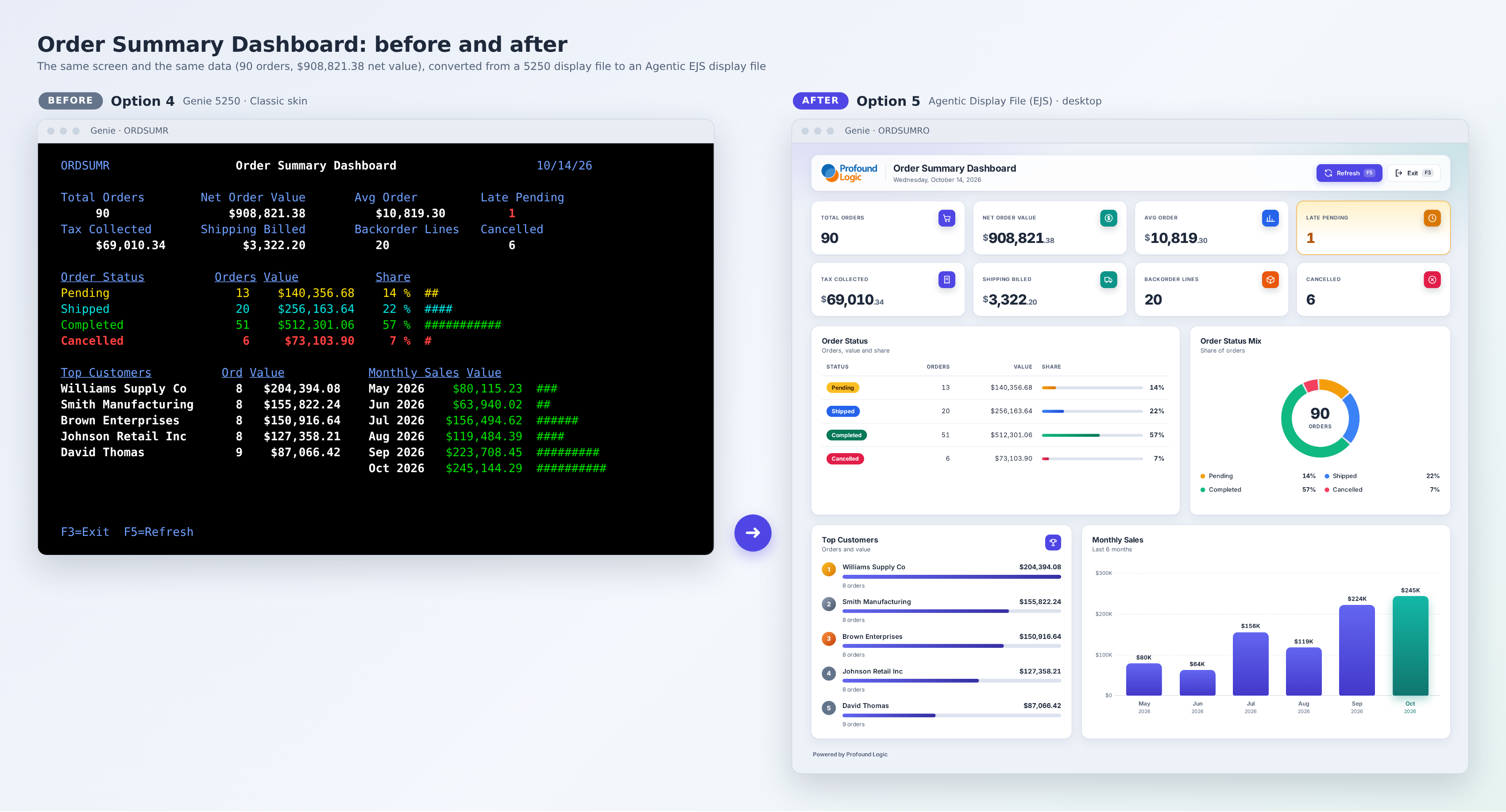
Not every use case starts from a blank screen. For teams with existing DDS or Rich Display Files they eventually want in this format, CoderFlow agents can use those files as source material, reading the field structure, subfile definitions, and screen logic, then rebuilding the interface as a modern Agentic Display File. Every field carries over. The RPG does not change. What changes is what the user sees when the screen loads.
What This Changes Day to Day
The practical shift is what gets asked in planning conversations. Instead of “what can our widget library support,” the question becomes “what does the business actually need this screen to do.” For a team that has spent years being careful about touching RPG logic during a UI refresh, and rightly so, that caution can stay fully intact. Agentic Display Files change how fast the presentation layer moves. They do not touch what is running underneath it.
Ready to see Agentic Display Files build a real screen in your environment? Reach out to our team at Futurization@ProfoundLogic.com, or read the original announcement on Agentic Display Files and explore CoderFlow.